Quick start
To run a successful FLAMES job on FUMA, follow the following steps:
1. Submit a SNP2GENE job
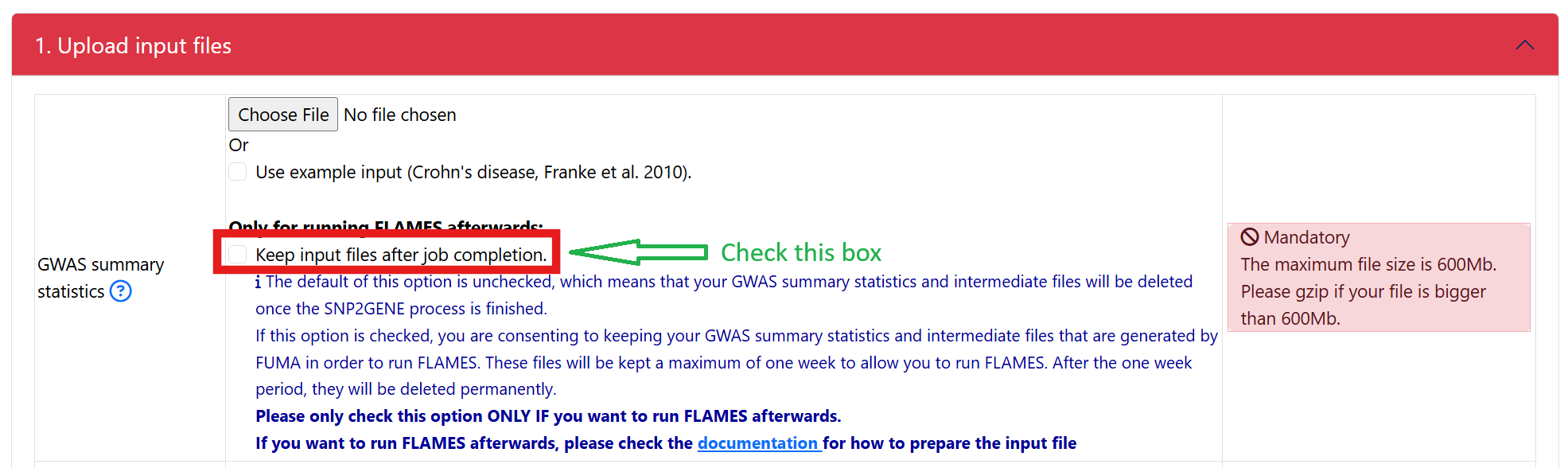
Click on a checkbox to keep the processed input GWAS summary statistics. Note that by checking this box, you consent to having your input gwas summary statistics and its processed files stored on the FUMA server for 7 days:
Warning
IMPORTANT: make sure to format the input GWAS summary statistics correctly prior to uploading to the SNP2GENE module in order for FLAMES to run correctly.
- In addition to the minimum columns that are needed for SNP2GENE (variant id and p-value), a required column for FLAMES is beta.
- in FLAMES implementation in FUMA, it will check if the processed input gwas summary statistics has a valid header. The valid header is: “chr”, “bp”, “non_effect_allele”, “effect_allele”, “rsID”, “p”, “beta”. The processed input gwas summary statistics is generated by SNP2GENE and will have these headers if your input gwas summary statistics contains:
- variant identifier: chromosome, position, rsID, ref, alt. Not all columns are required so some valid combinations are (the list below is not exclusive):
chromosome, position
chromosome, position, ref
chromosome, position, alt
chromosome, position, ref, alt
rsID
rsID, ref
rsID, alt
rsID, ref, alt
p values
beta
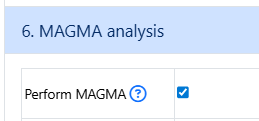
Click on option to run MAGMA. MAGMA is unchecked by default so make sure that MAGMA is checked in your SNP2GENE job.
Once your SNP2GENE job finishes successfully, you can submit a FLAMES job.
2. Submit a FLAMES job
From the dropdown of the available SNP2GENE jobs, select your successful SNP2GENE job. Assuming that you had followed step 1, all of the required files including the processed input gwas summary statistics are present in your SNP2GENE job. You will see a message like this:

When you see this green message, you can skip the next section titled GWAS summary statistics.
3. Enter a value for the sample size
This is a mandatory parameter. You are not allowed to submit the job if this is not filled in.
5. Other notes
In Step 2, if you select a SNP2GENE job where the optional processed input gwas sumamry statistics is not kept in your SNP2GENE job, you will need to upload your own in the section titled “GWAS summary statistics”:

To make sure that your input gwas summary statistics is correctly formatted, check GWAS summary statistics section.
6. Troubleshooting
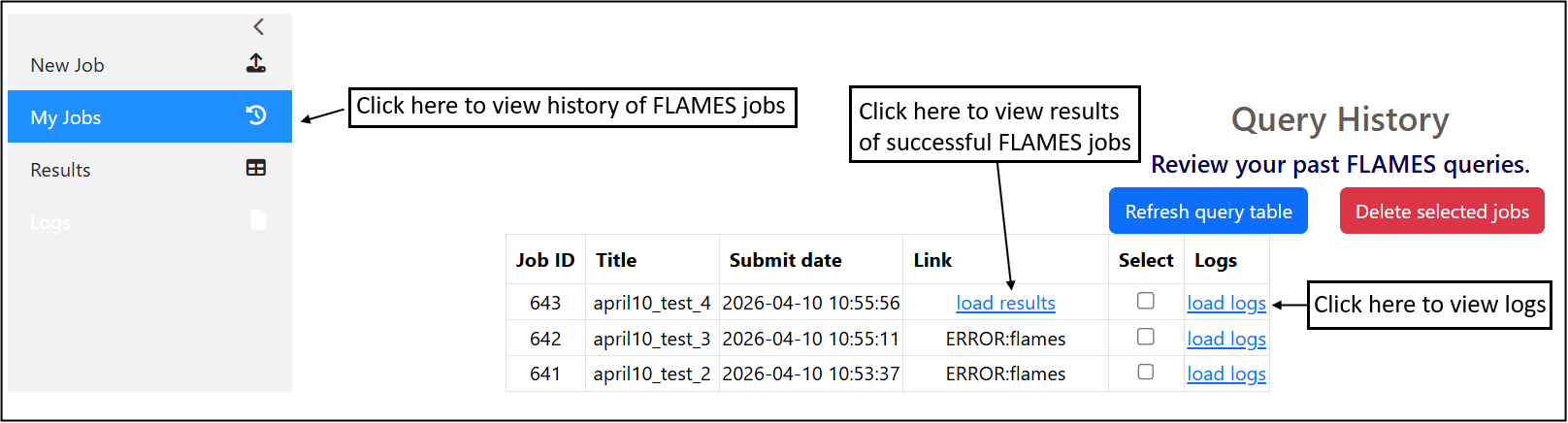
After you submit your FLAMES job, you can check the status of your job under My Jobs page.
Click on load results to view the results of successful FLAMES jobs.
If there was an error when running a FLAMES job, you can inspect the log files to check what went wrong
7. Viewing FLAMES results
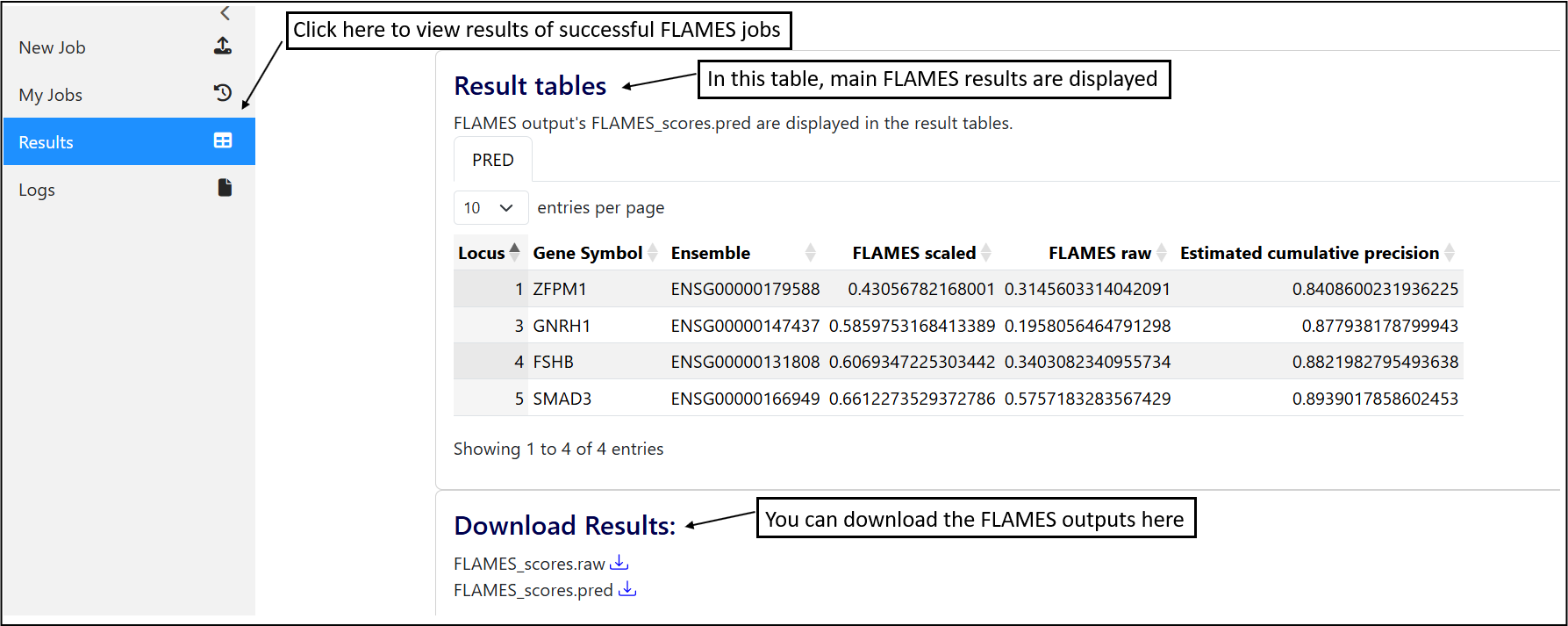
The main FLAMES results are displayed in the table.
You can also download the files at the end of the page.